- +86-13544370021
- snowma@litoscreen.com
What affect your Bluetooth Earphone's Signal?
Bluetooth wireless communication technology as an open global standard for wireless data and voice communications,the first application was to replace the headphone cable in the field of voice communication.
Until the 4.0 version of the low-power Bluetooth technology is widely used in smart wearable devices and smart home devices, these are gradually upgraded from the original Bluetooth headset era, and now the smart devices for Bluetooth technology applications are more and more popular.
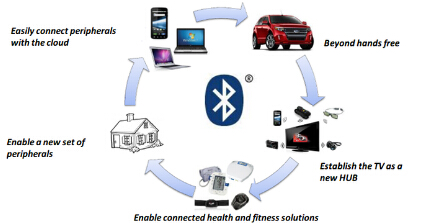
Many friends have encountered such problems when using Bluetooth devices. The signal is intermittent, sometimes strong and sometimes weak, affecting the use of the device. What caused this? Today we have a introduction to the phenomenon of signal difference between Bluetooth receivers.
Bluetooth is a wireless technology standard for exchanging data between fixed and mobile devices over short distances using short-wavelength UHF radio waves in the industrial, scientific and medical radio bands, from 2.400 to 2.485 GHz, and building personal area networks (PANs).

Moreover, Bluetooth is a radio technology that supports short-range communication of devices (maximum transmission distance of 100 meters), which can effectively simplify communication between mobile communication terminal devices, thereby making data transmission more rapid and efficient, it uses a decentralized network structure. As well as fast frequency hopping and short packet technology, it supports point-to-point and point-to-multipoint communication.
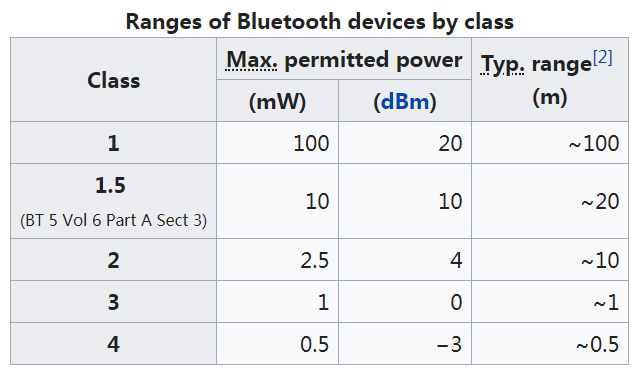
The 100 meters mentioned here refers to the maximum transmission distance and is in the condition of no obstruction.From the above, we can speculate that the possible reasons for the bad Bluetooth headset signal are as follows:
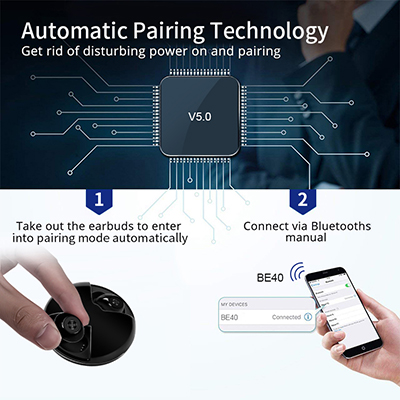
1.The Bluetooth Version - The Bluetooth version is an important aspect that affects the connection of Bluetooth headsets. The higher the Bluetooth version, the faster and more stable the signal transmission, and In the process of talking and listening to songs, consumers will encounter fewer signal disconnection and sound jams. At present, Bluetooth headset products on the market generally use Bluetooth version 4.2, and some mid-to-high-end products have been adopted Bluetooth version 5.0.
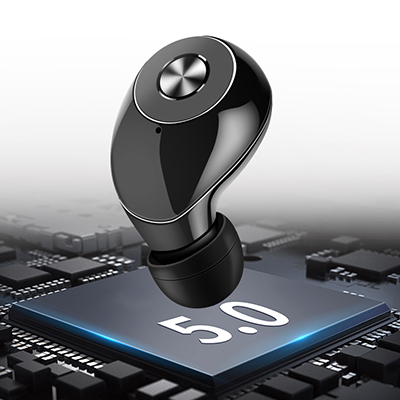
2.The quality of the headphone, if it is not good, the Bluetooth transmission effect will also affect;
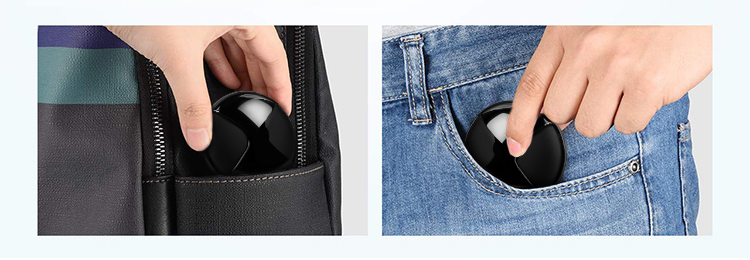
3.Because the human body and clothing are blocked, the Bluetooth transmission is blocked;
4.The Bluetooth earphone battery is about to be empty, and the transmission capacity is degraded.
So in the process of inspection, we can find that these methods can solve the problem of poor signal. The position of the mobile Bluetooth headset, if the signal changes with the position change, the possible reason is "The third point"; if the signal does not change significantly, the earphone is charged, and the effect is tested after full charged; if the above two points are all tested, It is the problem of the transmission capacity of the Bluetooth earphone itself (quality problems and service life problems), which can be replaced or repaired as appropriate.
Of course, there is also a situation where Bluetooth and Wi-Fi signal interference problems may have been encountered. Both of them mainly use the 2.4GHz frequency band. When both are turned on, the data throughput of Bluetooth will drop sharply, and the pairing equipment is difficult. Wi-Fi is intermittently interrupted and the network is limited. At present, there is basically no way to deal with this problem, but you can temporarily solve some problems for you by the following scheme.
Method 1: Connect to a 5GHz wireless network
Now that you know the problem is in the band conflict, consider buying a dual-band (2.4GHz+5GHz) router and connecting to a 5GHz Wi-Fi network. This method can completely solve the interference problem, but cost a lot of money.
Method 2: Replace the Wi-Fi channel
Take the TP-Link router as an example. Log in to the router web management page and find the channel option in Wireless Settings -> Basic Settings and change it to any of 1, 6, and 11. These are 2.4 GHz non-overlapping transmission channels, which are more stable than other channels.
Method 3: Turn on the NIC Bluetooth coexistence function
In the wireless network cards produced in recent years, Bluetooth coexistence is supported. The method is to find Bluetooth Collaboration or Bluetooth Coexistence Mode (name may be different) in the Advanced tab of the network adapter properties, and set it to Enable. Windows will automatically reconnect to Wi-Fi, and the interference with Bluetooth will be alleviated.
Method 4: Keep away from interference sources
Separate the Bluetooth terminal from devices that use the 2.4 GHz band, such as routers, microwave ovens, and cordless phones.
share to :


Categories


Copyright © 2015-2026 Guangzhou Lito Technology Co., Ltd..All Rights Reserved.dyyseo.com
Online Service
+86-13544370021